
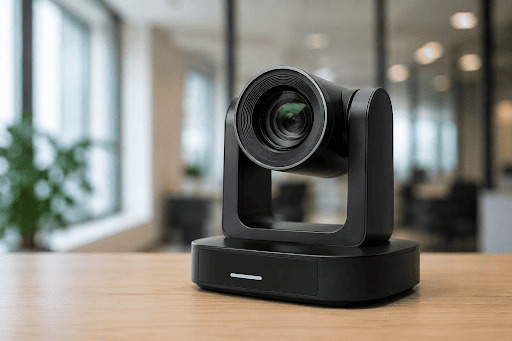
Before you buy an AI PTZ camera for a hybrid meeting room, look beyond resolution and zoom specifications. Check how reliably the camera tracks people, how it performs under your actual room conditions, how it connects with your AV and IT environment, and what the complete deployment will cost. Before you buy an AI PTZ camera for a hybrid meeting room, look beyond resolution and zoom specifications. Check how reliably the camera tracks people, how it performs under your actual room conditions, how it connects with your AV and IT environment, and what the complete deployment will cost.
Across boardrooms, training rooms, classrooms and multipurpose venues in Klang Valley, the same issue often appears: cameras may look similar on paper, but day-to-day performance depends heavily on room layout, lighting, tracking behaviour, mounting position and system integration.
For procurement and IT teams, the following seven-point checklist can help narrow down suitable options before committing to a purchase.
Check the AI Auto-Tracking and Framing Capabilities
An auto tracking PTZ camera should be evaluated by how its tracking behaves, not simply whether the specification sheet lists “AI tracking”.
Start by understanding the available modes.
- Presenter tracking: follows a selected presenter as they move around a stage, classroom or training area.
- Zone tracking: changes the camera view when someone enters a predefined area such as a podium or whiteboard.Zone tracking: changes the camera view when someone enters a predefined area such as a podium or whiteboard.
- Group framing: automatically adjusts the shot to keep multiple participants visible.
- Speaker-focused tracking: shifts attention according to who is speaking where supported by the system.
Pay attention to what happens during transitions. Does the camera follow movement smoothly? Does it switch subjects too quickly? Can it recover when one person walks behind another?
A boardroom with frequent speaker changes requires different behaviour from a classroom where one presenter moves continuously across the front of the room.
Where possible, test the camera using your typical seating arrangement and meeting format rather than relying only on a showroom demonstration.
Evaluate Image Quality Under Actual Room Conditions
An AI PTZ camera is only as effective as the image information available to its tracking system.
Meeting rooms commonly contain mixed lighting, windows, reflective glass walls, bright displays and darker seating areas. These conditions can affect both image quality and tracking consistency.
During evaluation, check:
- How faces appear when participants sit near bright windows.
- Whether exposure changes suddenly when presentation slides appear on screen.
- Whether moving presenters remain clear.
- Whether reflections or busy backgrounds interfere with tracking.
- Whether people seated further from the camera remain recognisable.
For training rooms and classrooms, also consider whether both the presenter and presentation area can remain visible without constant manual adjustment.
Optical zoom is particularly important in larger rooms where participants or presenters may be positioned further from the camera.
Rather than choosing the highest specification available, test whether the image remains consistent under the conditions the camera will actually encounter.
Match the Camera to the Room Size and Placement
Camera placement is a technical decision, not simply an aesthetic one.
An advanced tracking system can still fail if the camera does not have a clear view of the areas where people move. Columns, displays, signage, ceiling features or even participants standing in front of one another can interrupt sightlines.
Before selecting a model, identify the shots your room needs to capture. These may include:
- The full meeting table.
- A presenter at the front of the room.
- A lectern or podium.
- A whiteboard or presentation area.
- Participants seated furthest from the camera
Then work backwards to determine an appropriate mounting position.
Mounting too low can lead to blocked sightlines, while positioning the camera too high can create an unnatural viewing angle. The camera should also be able to pan, tilt and zoom across the required areas without exceeding its practical coverage.
Planning cable routes, power access and mounting requirements at this stage can also prevent compromises during installation.
Check Connectivity and AV System Compatibility
Many hybrid meeting room issues occur not because the camera is unsuitable, but because it does not integrate cleanly with the rest of the room.
Before purchasing, map how the camera will connect to:
- The meeting room PC.
- Conferencing codecs or appliances.
- AV switchers.
- Capture devices.
- Room controllers.
- Network infrastructure.
- Existing displays and audio systems.

Common connection options include USB, HDMI, SDI and network-based video.
USB can be convenient when connecting directly to a conferencing computer, particularly in smaller rooms.
HDMI or SDI may be more suitable where the camera forms part of a larger professional AV system.
Network-based video, including supported IP workflows, can provide greater flexibility for larger deployments but also places greater importance on network planning and management.
For organisations standardising several meeting rooms, consistency matters. Using similar connectivity and control approaches across rooms can simplify troubleshooting, spare equipment planning and user training.
Do Not Treat Audio as a Separate Afterthought
A sharp video image cannot compensate for poor audio.
Remote participants are more likely to notice unclear speech, echo or inconsistent volume than small differences in camera resolution. Camera procurement should therefore be planned alongside the room’s audio requirements.
Start by asking:
- Who needs to be heard?
- Where will they normally sit or stand?
- Will participants move around?
- How much background noise is present?
- How will remote participants be heard inside the room?
Depending on the environment, the solution may involve table microphones, ceiling microphones, speakerphones or a dedicated audio processing system.
This matters from an integration perspective as well. If the camera is selected independently of the wider AV system, teams may later need to revise cabling, control or equipment placement.
Planning audio and video together can reduce late-stage installation changes and create a more consistent hybrid meeting experience.
Review Privacy and Camera Control Features
AI-enabled cameras introduce additional control and governance considerations, particularly when connected to a corporate network.
Users should be able to understand when the camera is active and how it is behaving. Depending on the room, useful features may include:
- The ability to disable auto-tracking.
- Camera presets for common meeting layouts.
- Administrator-level controls.
- Privacy or standby functions.
- Restricted access to camera management interfaces.
For network-connected cameras, IT teams should also consider how the device fits into existing security policies. Appropriate access controls, credential management and network segmentation may form part of the deployment plan.
This is particularly relevant for corporate meeting rooms, government environments and spaces where confidential discussions regularly take place.
The aim is to balance automation with clear user and administrator control.
Compare the Real Video Conference Camera Price
The advertised video conference camera price is only one component of the total investment.
Two cameras with similar hardware prices can lead to very different project costs depending on the room and integration requirements.
A realistic budget should consider:
- Camera hardware.
- Required software or licences.
- Camera mounts and brackets.
- Cabling and signal extension.
- Network infrastructure where required.
- Microphones and audio equipment.
- AV switching or control equipment.
- Installation and configuration.
- Testing and commissioning.
- User handover or training.
For example, a small meeting room may only require a camera, mounting hardware and a straightforward connection to a meeting PC. A larger boardroom may require additional microphones, longer cable runs and room control integration. Training rooms and lecture halls may require more advanced tracking, networking and signal management.
This is why procurement teams should request an itemised quotation rather than compare camera unit prices alone.
Transparent budgeting makes it easier to understand the true cost of deployment and reduces the likelihood of unexpected variations after installation begins.
Choose an AI PTZ Camera Based on the Room, Not Just the Specification Sheet
There is no single AI PTZ camera that is right for every hybrid meeting space.
A boardroom may prioritise stable group framing and smooth transitions between speakers. A classroom may need presenter tracking across a defined teaching area. A large training room may require greater zoom, more complex audio coverage and integration with existing AV infrastructure.
The most reliable approach is to define the room outcomes first:
What needs to be seen? Who needs to be followed? Where will people move? How will the camera connect? What controls does IT require? And what is the complete deployment budget?
Once these requirements are clear, camera specifications become much easier to evaluate.
If you are comparing an auto tracking PTZ camera for a new or upgraded meeting space, speak with The Knowledge Group for a room-based recommendation and clearer project scope before procurement.